Taking a break: suspend your account
Suspending your account is the way to take a break without losing anything. Your profile is hidden from everyone, but your content and earnings stay exactly as they are, and you can come back at any time.
What happens when you suspend
- Your profile is hidden from everyone.
- All active subscriptions are cancelled, so fans are not charged while you are away.
- Your content and earnings stay as they are. Nothing is deleted.

How to suspend your account
4 steps
- 1
Open your profile menu
Click your profile photo in the top right corner.Tap Menu at the bottom right.
- 2
Go to Settings
In the menu, click Settings. The Privacy tab opens first.Tap Settings. The Privacy tab opens first.
- 3
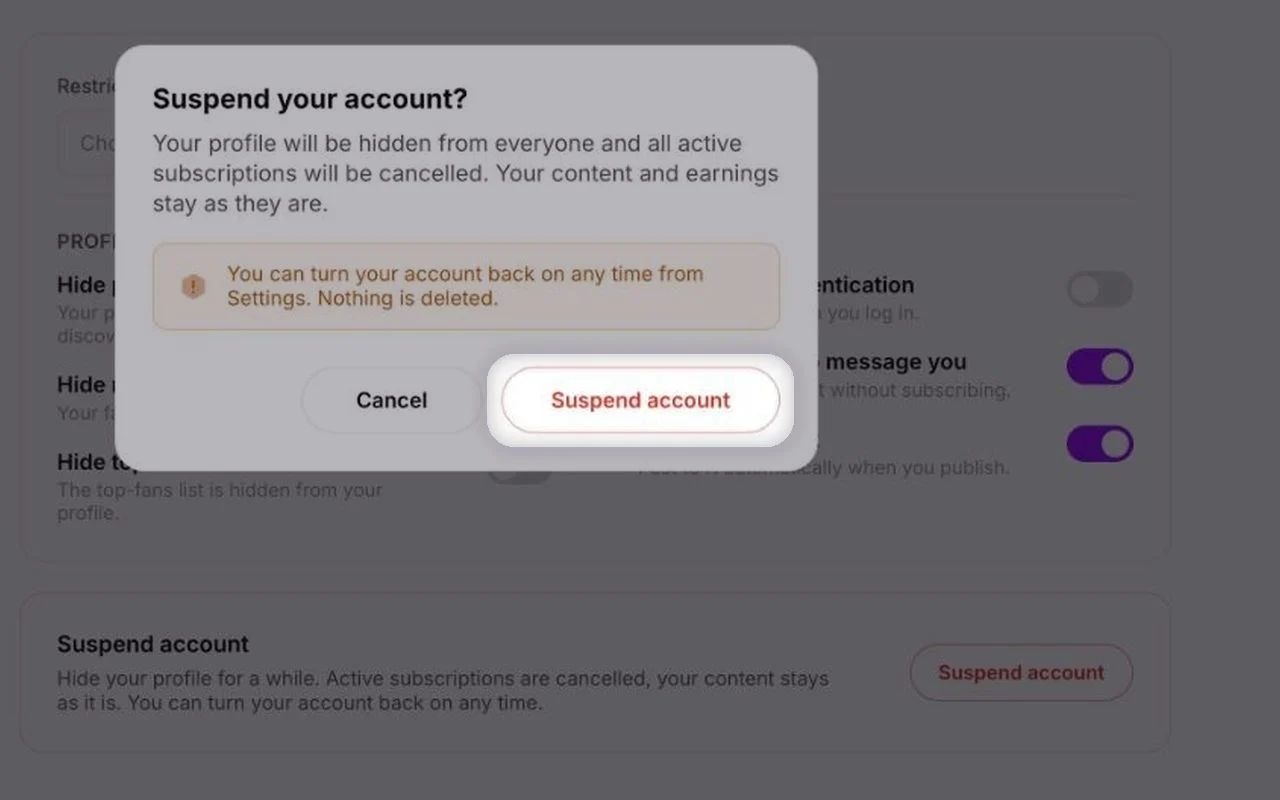
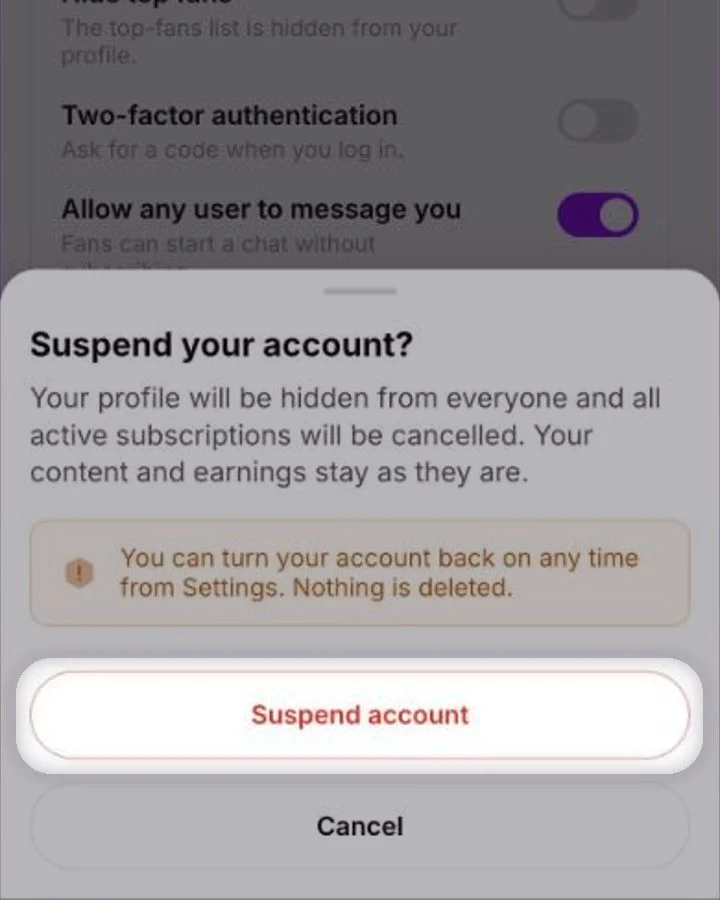
Click Suspend accountTap Suspend account
Scroll to the bottom of the Privacy tab and click Suspend account.Scroll to the bottom of the Privacy tab and tap Suspend account.
Confirm
Read what happens, then click Suspend account in the pop-up. To stop, click Cancel.Read what happens, then tap Suspend account. To stop, tap Cancel.
Coming back
You can turn your account back on at any time from Settings. Your profile becomes visible again and your content is still there.
Common questions
No. Your earnings and content stay as they are while your account is suspended.
No. All active subscriptions are cancelled when you suspend, so nobody is charged.
Suspend if you might come back — nothing is deleted. Deleting is instant and permanent: your content, earnings and payouts are erased and can’t be restored.
Keep reading
 Deleting your accountAccount & profile
 Privacy settings for creatorsAccount & profile
 Editing your creator profile